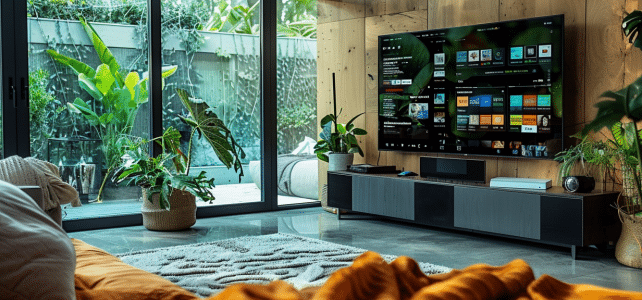
Streaming applications have revolutionized the way we consume movies, series, and documentaries. On a Smart TV, they provide an unparalleled visual and sound experience. Accessing such a diversity of content from your couch has become a true pleasure, but you still need to know how to make the most of it.
To optimize your experience, you need to properly configure your Smart TV and choose the right applications. Make sure you have a stable and fast internet connection to avoid interruptions. Explore all the features offered by these applications, such as creating personalized playlists and recommendations based on your tastes.
Configure and personalize your streaming applications
To fully enjoy streaming services on your Smart TV, start by configuring and personalizing your applications. A good setup ensures an optimized viewing experience.
Using built-in interfaces and features
Modern Smart TVs, such as those equipped with Tizen’s Smart Hub, consolidate all necessary applications and functions in one place. With this interface, easily access your favorite streaming services. The Ambient Mode allows you to customize your TV screen, while the SmartThings app helps connect all your devices for a smart home.
Installing the main streaming applications
To install the main streaming applications, follow the on-screen instructions on your Smart TV. Here are some essential applications:
- MyCanal on Smart TV: offers a variety of channels and on-demand content.
- Netflix: video streaming service offering a vast library of movies, series, and documentaries.
- Amazon Prime Video: streaming platform with exclusives and classics from cinema and television.
- Disney+: service dedicated to Disney, Pixar, Marvel, Star Wars, and National Geographic content.
Personalizing the user experience
Customize your Smart TV according to your preferences:
- Create personalized playlists to organize your movies and series.
- Use recommendations based on your tastes to discover new content.
- Enable parental control features to manage content accessible to children.
By properly configuring and personalizing your streaming applications, you will transform your Smart TV into a true entertainment center tailored to your needs.
Optimize the quality and performance of your streaming experience
To ensure a quality streaming experience, several parameters need to be considered. A stable and fast Internet connection is fundamental. Use a wired connection via an Ethernet cable if possible, or ensure you have a strong Wi-Fi signal. In your Smart TV settings, check the connection speed to ensure it meets the requirements of streaming platforms.
Image and sound settings
For optimal image quality, adjust your TV settings. Activate HDR (High Dynamic Range) and 4K modes if available. These options provide better resolution and improved contrast. Adjust brightness, contrast, and color settings according to your preferences and the lighting conditions in your room.
- Movie Mode: ideal for films.
- Dynamic Mode: for a more vibrant image.
- Standard Mode: balanced for all types of content.
For audio, explore surround sound options or connect an external audio system for an immersive experience.
Managing applications and updates
Make sure your applications and the operating system of your Smart TV are up to date. Regular updates help fix bugs and improve performance. Access the settings menu, then the updates section to check for new versions.
Using advanced features
Some Smart TVs offer advanced features like the Bixby voice assistant for Samsung models, allowing you to control your TV by voice. Also use smart home management applications like SmartThings for seamless integration with your other connected devices. By combining these elements, you will not only optimize your streaming experience but also that of your connected home.